The Ultimate OpenClaw Setup Guide: From Zero to Business Autopilot (2026)
A comprehensive 60-minute guide to setting up OpenClaw for business automation. Learn about tools, skills, hosting, and building a 24/7 teammate.
Vigor
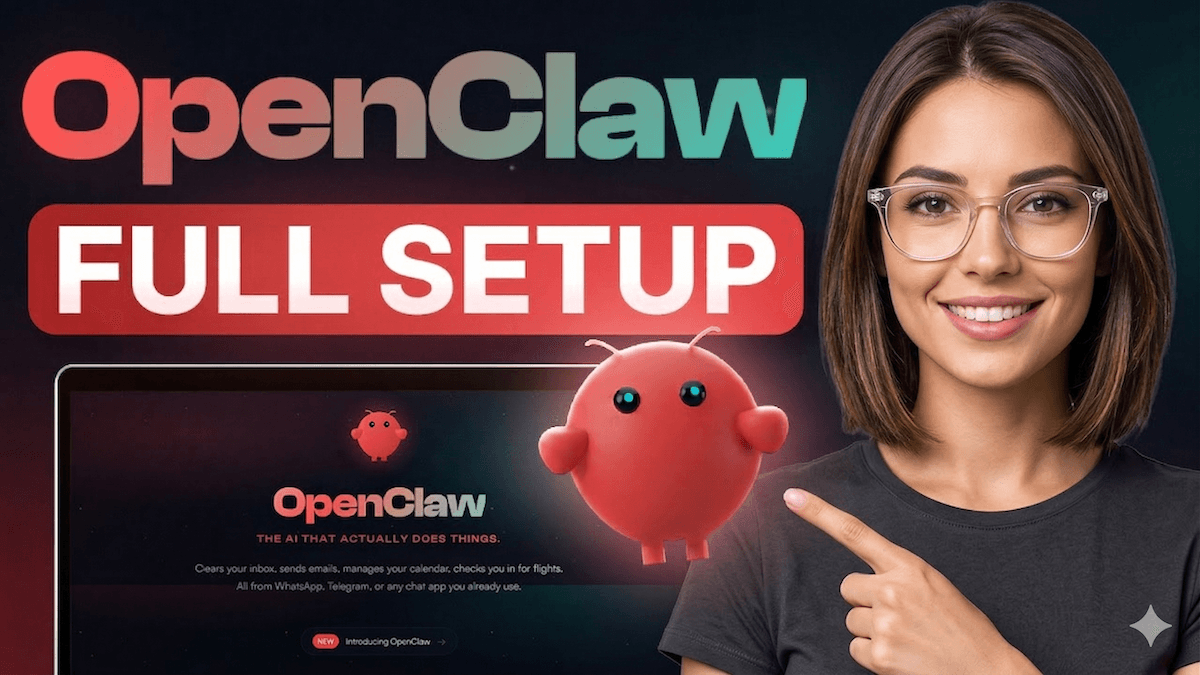
The Ultimate OpenClaw Setup Guide: From Zero to Business Autopilot (2026)
TL;DR
- OpenClaw is the leading open-source framework for autonomous AI agents in 2026.
- This guide moves you from installation to a "Business Autopilot" state in under 60 minutes.
- Learn the critical difference between Tools (organs) and Skills (manuals).
- Setup checklist: Hardware choice → Onboarding → Channel connection → Daemon mode.
- Use Layer 1 Tools for core tasks and Layer 2 for advanced automation like browser control and memory.
- Avoid the "Empty Box" trap by layering in BiClaw Skills for immediate e-commerce and BI ROI.
Why OpenClaw is the 2026 Standard for Business
In 2026, the "chatbot" era is dead. We are now in the era of the Digital Worker. OpenClaw has emerged as the preferred framework for these workers because it is private, local-first, and highly extensible. Unlike closed systems, OpenClaw gives you full control over your data, your models, and your execution environment.
But with power comes complexity. If you've just "hatched" your first bot, you're likely staring at an empty box. This guide is the bridge from a fresh install to a revenue-generating teammate.
1. Hardware and Environment: Where to Host?
Before you run npm install, you need to decide where your agent will live. In 2026, we see three primary patterns:
| Host Type | Best For | Pros | Cons |
|---|---|---|---|
| Local Mac/PC | Personal tasks, privacy | Zero cost, highest speed | Not 24/7, limited remote access |
| AWS Lightsail / Azure VM | 24/7 Operations, Growth Ops | 100% uptime, fixed cost | Needs basic Linux knowledge |
| Managed Hosting (BlinkClaw) | Non-technical founders | 1-click setup, no maintenance | Monthly premium, less customization |
For most growth-focused businesses, we recommend an AWS Lightsail instance (2GB+ RAM) to ensure your morning briefs and competitor monitoring run while you sleep. See our AWS Lightsail deployment guide for a step-by-step walkthrough.
2. Installation: The 5-Minute "Hatch"
OpenClaw is built on Node.js (v22+ required). Once your environment is ready:
# Install globally
npm install -g openclaw

# Start the onboarding wizard
openclaw onboard
The onboard command is your best friend. It handles the "hatch" process:
- Security Warnings: Accept the risks of autonomous execution.
- Provider Choice: Link your LLM (Anthropic Claude 4.5 and Gemini 3 are 2026 favorites for reasoning).
- Gateway Setup: Installs the background daemon so your bot stays alive after you close the terminal.
3. Tools vs. Skills: Understanding the Architecture
This is where 90% of new users get confused. Think of it like a human body:
- Tools are the Organs: They determine what the agent can do.
readandwriteare hands;browseris eyes;execis the ability to use a computer. - Skills are the Manuals: They teach the agent how to use its tools for a specific job. The
gogskill teaches it how to useexecandweb_fetchto manage your Google Calendar.
Layer 1: Core Capabilities (Must-Haves)
Enable these immediately in your openclaw.json to get basic utility:
read/write/edit: Essential for file management.web_search/web_fetch: The ability to research the internet.exec: Required for almost all advanced skills (requires an approval gate for safety).
Layer 2: Advanced Capabilities (The "Assistant" Layer)
browser: For interacting with web apps that don't have APIs (e.g., checking a niche competitor site).memory_search: Allows the agent to remember your preferences and past decisions.cron: The engine for scheduled wins (morning briefs, nightly audits).message: Enables the agent to "push" notifications to you on Telegram or Slack.
For a full breakdown of tools, see our Best AI Agents for Business 2026 comparison guide.
4. Connecting Your Channels: Moving Beyond the Terminal
A business assistant is useless if you have to log into a server to talk to it. You need to meet it where you already work.
- Telegram: The most popular choice for 2026. Use BotFather to create a bot, paste the token into OpenClaw, and you have a 24/7 mobile assistant.
- WhatsApp: Best for customer-facing recovery agents. Requires a WhatsApp Business API key.
- Slack/Discord: Ideal for team-wide operations and shared visibility.
5. Bridging the "Empty Box" Gap with BiClaw
Raw OpenClaw is a framework, not a finished product. If you want it to actually manage your Shopify revenue or triage your Gorgias tickets, you usually have to write the code yourself.
This is why we built BiClaw. We provide the "Business Logic Layer" that installs directly into your OpenClaw instance.
- BI Connectors: Native links to Shopify, GA4, Meta Ads, and Stripe.
- Pre-built Skills: Morning Briefs, Revenue Recovery, and Competitor Pulse ready on Day 1.
- Governance: Pre-configured approval gates so your agent never "goes rogue" with your budget.
Learn more about the BI-first approach and how it saves 15+ hours of setup time.
6. Your First "Scheduled Win": The Morning Brief
Once you're set up, your first task should be automating your morning.
- Connect Data: Link your Shopify and Ads accounts.
- Set the Cron: Schedule a job for 07:30 local time.
- Define the Output: Tell the agent to pull yesterday's net sales, ad spend, and top 3 support intents.
- Push to Channel: Have it send a formatted summary to your Telegram.
By 07:35, you'll have more clarity on your business than 95% of your competitors.
7. Security and Guardrails (Non-Negotiable)
As an autonomous agent, OpenClaw has the power to do great things—and expensive mistakes. Always follow these three rules:
- Least Privilege: Only give API keys the permissions they need.
- Approval Gates: Always require a human "thumb up" for
execcommands and any action that moves money. - Audit Everything: Review your
logs/directory weekly to see what your agent is thinking.
Consult the NIST AI Risk Management Framework for enterprise-grade security standards.
Conclusion: Start Small, Scale Fast
Don't try to automate your whole company today. Start with a single "Scheduled Win." Get your morning brief working. Then add competitor monitoring. Then CX triage.
OpenClaw is the engine. Your data is the fuel. Your skills are the map.
Related Reading
- OpenClaw Ecosystem 2026: Where BiClaw Fits
- How to Automate Your Shopify Morning Brief
- From SOP to Autopilot: Using AI Agents for Business
Ready to turn your empty box into a growth engine? Try BiClaw free for 7 days and get your first business skills live in minutes. Start here.
Sources: OpenClaw Documentation | McKinsey — The Economic Potential of Generative AI


